Why Wii U Games Stop Working: Disc Rot and Dead Drives
Wii U discs fail our testing more than any other game disc. Here is why a Wii U game that looks perfect can stop working, how long discs last, and what to do.
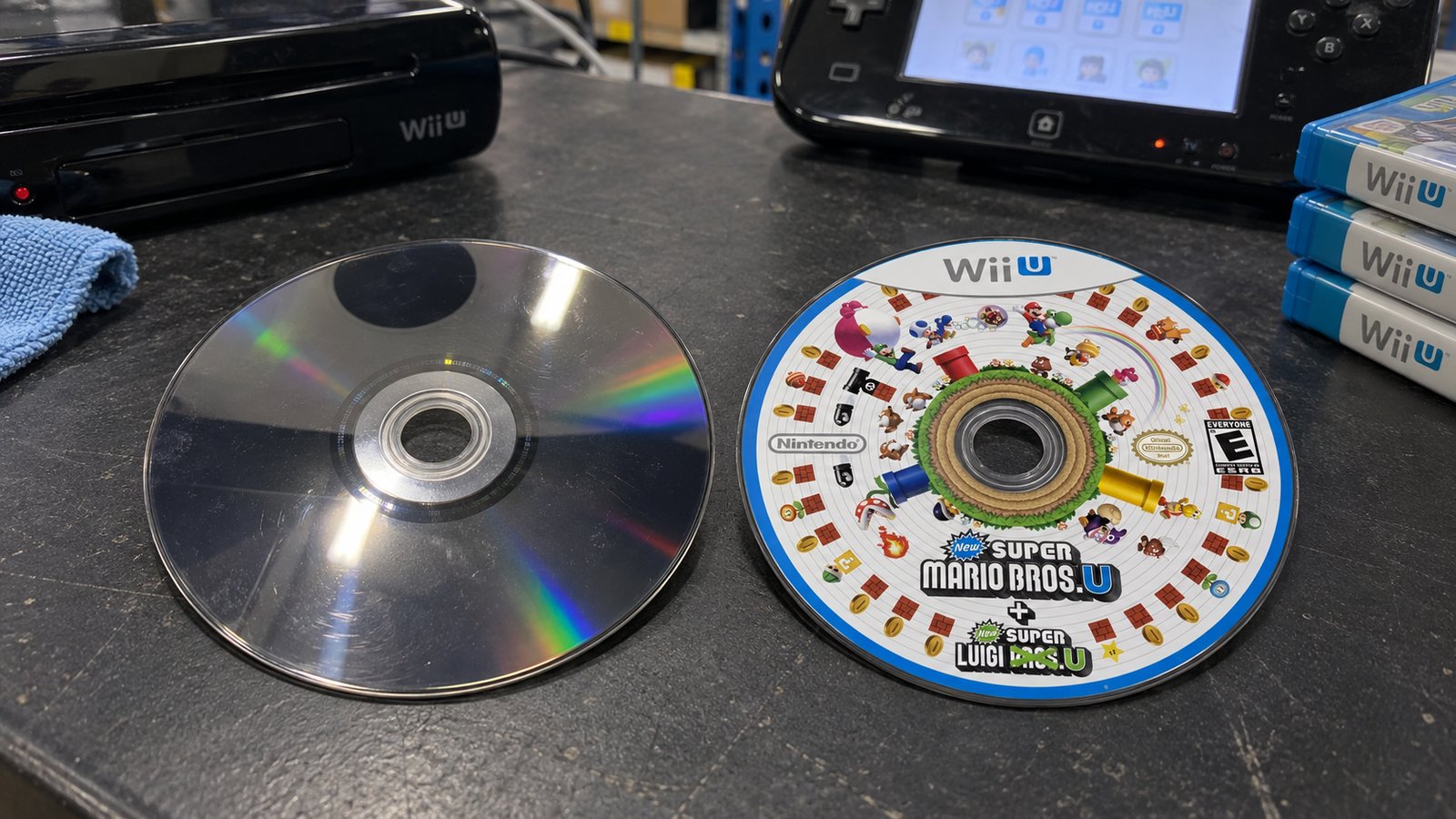
We test every game that comes through our warehouse before we pay for it. Thousands of discs a week, every platform, every one loaded on real hardware and run. After enough of that you start to notice patterns, and the Wii U pattern is one I get asked about more than any other: somewhere between 10 and 20 percent of the Wii U discs we test do not work. Not scratched ones. Discs that look like they came out of the case yesterday, with a clean underside and a perfect label, that the console simply will not read.
Nobody has published a failure rate for Wii U discs, so I cannot give you a number from a study. What I can give you is ours, and in our experience the Wii U is one of the worst disc formats we handle for this. So this is the guide I wish existed when we started seeing it. What a Wii U disc actually is, the three reasons one stops working, whether "disc rot" is really what is happening, which other systems have it as bad or worse, how long your games are likely to last, and what we do about all of it when you sell your Wii U games to us.
The Wii U, in two minutes
The Wii U launched in North America on November 18, 2012, at $299.99 for the white Basic set and $349.99 for the black Deluxe set. The big idea was the GamePad, a controller with a 6.2 inch touchscreen built in, so you could keep playing on the pad while someone else had the TV. It played every Wii disc and worked with every Wii accessory, which was a nice touch for families upgrading.
It did not sell. Nintendo's own numbers (opens in new tab) put lifetime hardware at 13.56 million consoles worldwide, with about 103.6 million games sold across the whole life of the system. For comparison, the original Wii sold over 100 million consoles. A weak launch lineup, very little third-party support, and marketing that never made clear this was a new console and not a Wii add-on all got blamed. Nintendo ended production on January 31, 2017, a month before the Switch arrived, and later called the Wii U "a necessary step" on the way to it.
Since then the system has been slowly switched off. The Wii U eShop stopped taking purchases on March 27, 2023. Online play ended in April 2024. In July 2024 Nintendo of Japan stopped accepting Wii U repairs (opens in new tab) altogether because it had run out of spare parts.
Here is why that history matters for your games. The Wii U had one of the smallest physical libraries of any Nintendo home console. By the middle of 2016, only 157 games had been released on disc in the US, the fewest of any Nintendo console, and the whole worldwide library on disc ended up at roughly 200 titles. Small print runs, a short life, and a handful of titles that still have not been ported to the Switch (Star Fox Zero, The Wind Waker HD, Twilight Princess HD, and Devil's Third, as of the most recent lists I could find) mean Wii U games are scarcer than their Wii or Switch cousins, and the limited editions are scarcer still. That is exactly why they are worth money, and exactly why a disc that will not play hurts.
What a Wii U disc actually is
This is the part most people skip, and it explains almost everything that follows.
A Wii U disc is not a DVD like a Wii or PS2 game. It is a 25 GB disc built on Blu-ray technology, made by Panasonic, which also supplied the console's optical drive. You can spot one by its edge: Wii U discs have soft, rounded edges instead of the sharp edge on a normal CD, DVD or Blu-ray. The console reads it with a 405 nanometer blue-violet laser, the same type Blu-ray players use.
Two things about Blu-ray-type discs matter here.
The data sits right under the surface. On a DVD the data layer is buried about 0.6 millimeters down in the middle of the disc, which is why a scratched PS2 or Wii disc can be resurfaced: you sand off a thin layer of clear plastic and polish it back, and the data underneath is untouched. On a Blu-ray-type disc the cover layer over the data is only about 0.1 millimeters thick. There is almost nothing to sand. A Blu-ray that is scratched deep enough to stop reading usually stays that way.
It has a hard coat to make up for that. Because the data is so close to the surface, Blu-ray discs carry a scratch-resistant coating. That is why most used Wii U discs we see have almost no visible wear on the underside. Light scuffs do not matter on a Wii U disc, which is good news for sellers. The bad news is on the other side of the trade: when a Wii U disc fails, it is rarely because of scratches.
Why a Wii U game that looks perfect will not play
When a Wii U game stops working, one of three things is going on. Only one of them is the disc.
Cause 1: the disc itself, pinholes and a failing reflective layer
The data on an optical disc is read off a thin reflective metal layer. If that layer develops a gap, the laser reads nothing there, and depending on where the gap is the game stutters, fails to load a level, or will not boot at all.
Wii U owners started reporting exactly this within three years of launch. In December 2015 a thread on NeoGAF titled "Our Wii U discs keep developing pinholes in them" (opens in new tab) collected dozens of reports of tiny holes you can see when you hold the disc up to a light. Titles named included Super Mario 3D World, Mario Maker, Super Smash Bros., Mario Kart 8, Xenoblade Chronicles X, Bayonetta 2, Donkey Kong Country: Tropical Freeze and The Wind Waker HD. Some of those discs had become unreadable. The original poster's Super Mario 3D World disc loaded about four times in five. Others played fine with pinholes only in the center ring, which carries no game data. A separate thread the same month reported the printed label paint flaking off Mario Kart 8, Tropical Freeze, Mario Party 10 and Wind Waker HD, all of which still played. Similar reports appeared on AtariAge (opens in new tab), GameFAQs and GBAtemp, including one owner who said a sealed copy of 3D World developed a pinhole within six months.
Nintendo never put out a statement about it, and nobody has published a measured rate, so I can only tell you what we see on the bench: Wii U discs that look flawless and will not read, more of them than we would expect from any disc this young. When a disc fails on our tester, we run it again on a second Wii U before we call it dead, so we know it is the disc and not our drive. Then we hold it up to the light. Sometimes we find pinholes, sometimes small cloudy spots in the reflective layer, and sometimes nothing at all: a disc that looks perfect from every angle and will not read on two consoles.
Is that "disc rot"? Strictly, disc rot means chemical deterioration of the disc over time: the reflective layer oxidizing, the layers de-bonding, or a reaction with something in the packaging. The pinholes people found on months-old and even sealed Wii U discs look more like a manufacturing defect than slow aging, and some owners argued the console's drive was doing it. Nobody has proven either. From where you are standing it makes no difference. A pinhole in the data area is a disc that will not play, whatever we call it, and it does not get better.
Cause 2: the console's disc drive
This is the one that gets blamed on the disc and usually is not.
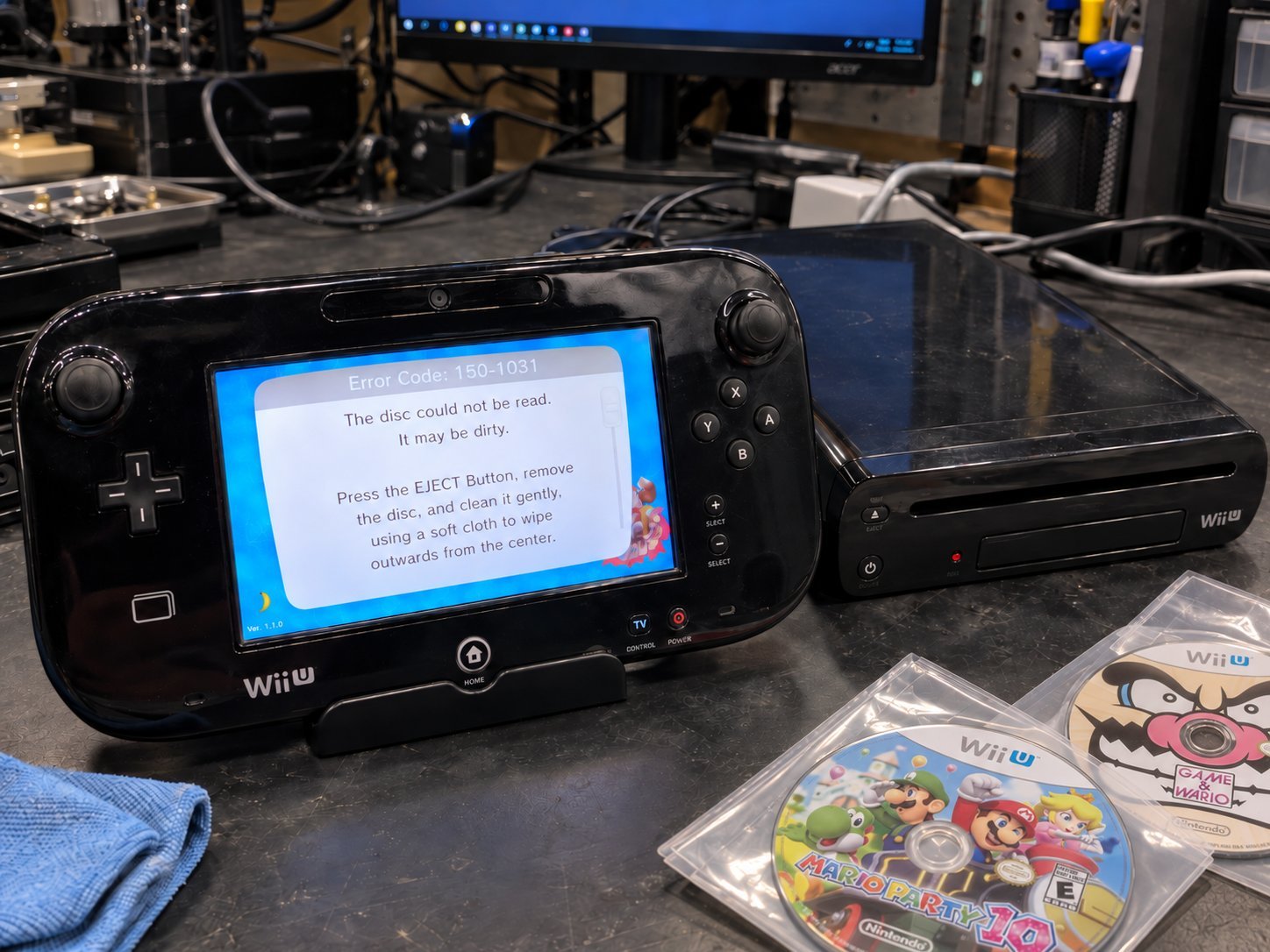
The Wii U's drive uses a lens and a laser like any optical drive, and after a decade both wear. A tired laser or a dirty lens gives you "The disc could not be read" even on a perfect disc. The tell is simple: the same disc works in a friend's Wii U. Forum threads are full of this pattern, and Nintendo's own troubleshooting (opens in new tab) says it plainly: clean the disc, and if more than one disc fails, or your only disc fails after cleaning, the problem is the console.
A lens cleaning disc sometimes helps. A worn laser does not have a cheap fix, and Nintendo no longer repairs the Wii U.
Cause 3: the console's memory, not the drive at all
The third cause has been in the news. The Wii U stores its system software on an internal eMMC flash memory chip, and those chips, especially the ones made by Hynix, have been failing in consoles that sat unused for years. The symptom is a console that boots to error 160-0103 or 160-2155, or hangs on the Wii U logo. Owners pull out their old Wii U for the first time since 2017, it will not load anything, and the first thing they suspect is the game. The game is fine. Nintendo's page for that error code (opens in new tab) says it means the system software is out of date or "the system memory may be corrupted." The homebrew community built tools to rebuild the memory, but for a normal owner a console with a dead eMMC is a dead console.
So before you decide your game has rotted, rule the console out. More on how below.
A Wii U disc that looks perfect tells you nothing. The only test is loading it.
Which systems are as bad or worse than the Wii U?
Disc rot is real and it is older than the Wii U. For context:
LaserDisc is the original "laser rot." By collectors' accounts a large share of 1990s discs from one US pressing plant went cloudy and unplayable as the adhesive between layers failed and the reflective layer oxidized. It is the best known case of all, and it is not even a game format.
Early pressed CDs. Between 1988 and 1993 a plant in Blackburn, England pressed audio CDs whose lacquer did not keep out sulfur from the paper booklet. The reflective layer corroded from the edge inward and the discs turned bronze. The maker ran a replacement helpline until 2006. That is called "CD bronzing," and it is where the whole idea of disc rot entered the public mind. Tedium has a good history of the whole phenomenon (opens in new tab), LaserDiscs included.
Sega CD, TurboGrafx CD, Saturn and Dreamcast. Among game collectors these are the systems with the strongest reputation for rot, and it makes sense: they are the oldest game discs, pressed on aluminum, and the oldest of them are over 30 years old. Collectors have found white specks and pinholes across dozens of titles, including sealed ones. I will be honest that this is collector reports, not a published study. Nobody has measured it for any game platform.
Wii. Super Smash Bros. Brawl is a dual-layer DVD, and Nintendo acknowledged in 2008 (opens in new tab) that a small number of consoles could not read it when the lens was dirty. That is a lens problem, not rot, and it is the same lesson as the Wii U: the console gets blamed on the disc.
Xbox 360. The famous ring scratch. Move the console while a disc is spinning and the drive gouges a circle into it. A class-action filing said so and Microsoft put the affected share under half a percent. Again, not rot. The disc was fine until the console cut it.
DVD-era movies. Warner Bros. DVDs pressed between 2006 and 2008 are failing in large numbers, badly enough that Warner started offering replacements in 2025. I have not found a documented problem like that for PS2, GameCube or Wii game DVDs, and in our experience they are among the most durable game discs there are, which is why a 20-year-old PS2 disc with light scratches still plays after a resurface.
Blu-ray and PS3. A few 2007 reports of spots on movie Blu-rays, one title, never confirmed. In our experience, PS3 discs do not fail the way Wii U discs do, even though both are Blu-ray-type discs.
So where does the Wii U sit? That is our opinion from the bench, not a published study: among the discs we buy and test every week, the Wii U is one of the worst for a disc that looks fine and will not play. Older than it, the Sega CD and Saturn generation have the worse reputation for true rot. Everything in between, the PS1, PS2, GameCube, Wii, Xbox and PS3, mostly fails for reasons you can see: deep scratches, cracked hubs, a scratched-through label.
How long will Wii U games last?
The straight answer is that nobody knows for Blu-ray-type game discs, because they have not been around long enough.
The best numbers come from the US National Institute of Standards and Technology, which worked with the Library of Congress on disc longevity. Their guidance (opens in new tab) for factory-pressed CD-ROMs and DVD-ROMs is that, for life expectancy, "expectations vary from 20 to 100 years," with the big variables being how much the reflective layer is exposed to oxygen, and heat and humidity. They did not publish a figure for pressed Blu-ray, and I have not found a reputable one anywhere.
What that tells you about a Wii U disc comes down to three things.
A disc that was pressed properly will probably outlive the console. Kept in its case, dry and out of the sun, it has a good chance of lasting decades. The console is the weak link, and it already is: the drives are wearing out and the memory chips are failing.
A disc with a reflective-layer defect was never going to last. The pinhole reports came within months, not decades. If your disc is reading cleanly thirteen years after launch, it was probably made right.
Storage matters more than age. Heat and humidity speed up oxidation of the reflective layer. A garage or an attic in summer is the worst place a disc can live.
Nintendo's own care advice (opens in new tab) is the boring, correct kind: keep discs in their cases, wipe a dirty disc from the center hub straight out to the edge with a soft damp cotton cloth, no solvents, no window cleaner, and do not put game discs through a scratch-removal machine. On that last point Nintendo and we agree completely, for a different reason: on a Blu-ray-type disc there is nothing to remove.
How to check your Wii U discs at home
Five minutes, before you decide a game is dead.
1. Hold it up to a bright light, underside toward you. Tilt it. You are looking for pinpricks of light coming through, cloudy or discolored patches, and anything near the edge that looks like the layers are separating. Pinholes in the clear center ring do not matter. Pinholes out in the data area do.
2. Run a fingernail across the underside. A Wii U disc with a scratch deep enough to catch a nail is a scratch that cannot be fixed, and that one goes in the "do not send" pile.
3. Clean it the Nintendo way and try again. A surprising number of "dead" discs have a film on them.
4. Try a second disc. If two or three different games all fail in the same console, your drive or your console is the problem, not your games.
5. Try the disc in a second Wii U if you can borrow one. A disc that reads in another console is a good disc.
6. Check for the error code. A console that will not get past the logo, or shows 160-0103 at boot, has a memory problem. Your discs are fine.
What we do when we buy Wii U games
We buy Wii U games, and because the library is small and shrinking, we pay well for them, especially the limited editions. As I write this, a boxed Devil's Third is paying over $120 on our site (check today's price), and The Wind Waker HD Limited Edition with its figurine is over $100 boxed (today's price). Prices move, so look up your exact titles on the Wii U page rather than trusting a number from a blog post.
Here is how the testing works, because for a Wii U game it is the whole story.
Every disc is loaded on a Wii U and run. Not looked at, run. It has to reach the title screen, load, and play. We do not grade a Wii U disc by eye, because, as this whole post explains, a Wii U disc that looks perfect tells you nothing.
A disc that fails is paid at $0 or returned to you. You see it itemized on your order page before anything is final, and you choose. We do not resurface Wii U discs. We run more than ten disc resurfacing machines for PS1, PS2, Wii, GameCube and Xbox games, and when you say yes at checkout we will try to bring back a DVD-based disc that will not load. A Blu-ray-type disc gets no such option, from us or from anyone, because the data is too close to the surface to sand. The Wii U page says this plainly and so does our Condition Guidelines page.
Light underside wear costs you nothing. The hard coat means most used Wii U discs pass at the full offer. Writing or a sticker on the printed top side is half off. Anything you can feel with a fingernail, a crack, a chip, or an import is a disc we cannot buy.
Consoles too. We buy working Wii U consoles, the white Basic and black Deluxe sets with their GamePad, the special editions, and the GamePad on its own. A GamePad has to sync and its screen cannot be scratched, and because it has a lithium battery the order ships by ground on a UPS label with our battery kit. If your console boots to 160-0103 and stays there, that is one we cannot buy, but your games are still worth sending.
How to sell your Wii U games to us
Price them. Search each title on the Wii U page, or stand the blue cases on a shelf, take one photo of the spines, and let PriceBot price the whole row in seconds. Pick loose, boxed or new for each game and the total updates as you go.
Ship free. On orders of $50 or more from the lower 48, we send a prepaid USPS or UPS label with $100 of insurance built in. Pack the cases the way our packing guide shows and hand the box to the carrier.
Get paid. Your box is inspected within one to two business days of arriving, every Wii U disc is run, and you are paid within two business days after inspection by PayPal, Venmo, eCheck or mailed check. The full process is on How It Works.
Questions people ask about Wii U discs
Do Wii U games get disc rot?
Some do fail from defects in the reflective layer, usually visible as pinholes against a light, and owners have been reporting it since 2015. Nobody has measured how common it is. In our testing, 10 to 20 percent of Wii U discs do not play, which in our experience makes it one of the worst disc formats for this.
My Wii U says "the disc could not be read." Is the disc bad?
Maybe, but check the console first. Clean the disc, try a second game, and if you can, try the disc in another Wii U. If several games fail in one console, the drive's laser or lens is the problem, not the games.
What does error 160-0103 mean on a Wii U?
Nintendo says the system software is out of date or the system memory may be corrupted. In practice, on a console that sat unused for years, it usually means the internal eMMC memory chip has failed. The games are not the cause.
Can a scratched Wii U disc be resurfaced?
No. Wii U discs are Blu-ray-based, with the data layer about a tenth of a millimeter under a hard coat. There is nothing to sand away. Light scuffs do not matter, and a scratch you can feel with a fingernail is permanent. Nintendo says the same: do not put game discs through scratch-removal machines.
How long do Wii U discs last?
There is no published figure for Blu-ray-type game discs. The NIST and Library of Congress guidance for pressed CDs and DVDs is 20 to 100 years depending on manufacturing quality and storage. A properly made Wii U disc kept in its case, cool and dry, should outlast the console.
Do you buy Wii U games that do not work?
No. A disc that fails our test is paid at $0 or sent back to you, your choice, and you see it on your order page before anything is final. If you are not sure about a disc, send it anyway and let the tester decide; a disc that plays is paid at the full quoted price.
Will you buy my Wii U console if it boots to an error?
A console that will not boot, or has a drive that is loud or will not read, is not one we can buy. A working console with a GamePad that syncs is, and the offer is on the Wii U page before you ship.
Which Wii U games are worth the most?
The limited editions with their figures (Mario Kart 8 and The Wind Waker HD), the late small-print-run titles like Devil's Third, and the games that never got a Switch port. Every title on the Wii U page shows its own live offer.
If you have a stack of blue cases in a closet and a console you have not turned on since 2017, test the console first, then look up the games. The system had a short life. The games are turning out to be the part worth keeping, and the part worth selling.
Ready to sell yours?
Photograph your games or look them up, and get a quote in a couple of minutes. Free shipping on orders of $50 or more. We pay by PayPal, Venmo, e✓Check or Mailed Check right after inspection.
Get a quote